
TL;DR: CMS Migration Numbers
This guide reviews the top CMS migration services, focusing on partners that help organizations transition without compromising organic traffic, search visibility, or long-term scalability.
A CMS migration can launch successfully and still underperform in the months that follow. Rankings may decline, organic traffic can drop, and technical or content issues can make recovery costly. Successful migrations therefore require more than moving content from one platform to another. Engineering, SEO, and content teams need to work together from the planning stage through post-launch monitoring.
For leadership teams, the key question is not simply whether the new CMS is live, but whether the migration preserves and improves organic performance over time. Much of that outcome is determined before launch through URL mapping, redirects, technical SEO, content migration, performance planning, and post-launch validation.
The headless CMS market reached $816M in 2024 and is projected to grow at 22% annually, while 73% of enterprises are adopting headless architecture. As more organizations move to API-first and headless stacks, choosing the right CMS migration service can help them:
Reduce long-term CMS costs and vendor lock-in
Preserve search rankings through proper URL mapping and redirects
Improve website performance and Core Web Vitals
Enable more flexible and efficient content workflows with a headless CMS
Migrate a Website-Growing Trend
Most analysts expect the majority of digital teams to move away from traditional, page-based CMS platforms toward composable, API-first stacks over the next 2-3 years. The reason is simple: as brands expand across more channels, markets, and campaigns, traditional CMS workflows break down. Content gets duplicated across sites, templates become hard to change, and even small experiments require a developer.
Headless CMS solves this by keeping content in one structured hub that feeds every channel through APIs, so editors can publish updates without waiting on the dev team. But a CMS to CMS migration is more than a technical switch. Those teams that dive into a website migration service without a clear SEO strategy risk losing the very signals search engines use to trust and rank their site. That's why this kind of transition works best with a CMS agency that treats SEO as part of the migration plan, not an afterthought.
What Is Headless CMS Migration?
Migrating a website to a headless CMS means decoupling your content from how it's presented. s work in one central content hub. Developers build fast, flexible frontends in Next.js, React, or whatever the delivery layer demands for any channel: web, app, or in-product UI. The content model stays stable. The presentation layer becomes a technical decision, not a CMS constraint.
That separation is the point. It's also where migrations get complicated.
Your SEO won't migrate automatically. Rankings follow decisions, specifically, the ones you make before anything moves. Keep URLs as stable as possible. Build a complete 301 redirect map for every URL that changes. Crawl both the old and new versions of the site before launch to catch missing metadata, lost content, broken internal links, and orphaned pages. That decision compounds: a redirect missed at migration can take months to recover from in search.
The architecture is the easy part to get excited about. The unglamorous audit work is what protects everything you've already earned.
Why Go Headless? CMS Migration Justification
What pushes businesses to CMS migration besides the draconian price of your Contentful? Let me guess, the code quality? Security reasons? It depends.
That's exactly what professional headless CMS migration services are designed to solve — handling the technical and SEO complexity so your team doesn't have to.
9 Reasons Businesses Seek Headless CMS Migration Services (starting with economic ones and followed by technical website reasons):
- Escape runaway license costs: Legacy and monolithic CMS platforms keep increasing base subscription fees. Ballooning costs, driven by user-seat pricing and add-on charges, are turning your content stack into a fixed cost that grows faster than your traffic or revenue. This erodes ROI over time and makes staying on your current CMS increasingly hard to justify
- Stop paying for “empty” overages: Many enterprise CMS contracts charge extra for API calls, environments, locales, or storage, even if you’re not using advanced features that justify the bill
- Replace complex pricing with predictable value: Moving to a modern headless stack lets you choose components (CMS, hosting, search, media) that match your actual usage and budget, instead of being locked into one vendor’s bundled pricing
- Reinvest license spend into growth: The money currently tied up in inflated CMS subscriptions can be redirected into content production, SEO, and experimentation that measurably drives revenue.”
- Future‑proof against price hikes: A composable headless architecture gives you leverage; if one vendor’s pricing becomes unreasonable, you can swap it out without rebuilding your entire site
- Security vulnerabilities: Traditional monolithic CMS platforms like WordPress (when unmanaged) or aging proprietary systems are prime targets for hackers. Outdated plugins, unpatched cores, and shared databases create attack surfaces that headless, API-first architectures simply don't have
- Poor performance: A slow website is a leaking revenue pipe. If your CMS is tightly coupled to your frontend, every design tweak becomes a developer ticket. Businesses migrate to gain speed, better Core Web Vitals scores, and the freedom to optimize independently
- Technical debt: Years of patched plugins, custom workarounds, and legacy integrations quietly accumulate until your codebase becomes a house of cards. A full site migration is often the cleanest escape route
- Lack of scalability: When your CMS can't handle traffic spikes, multiple languages, or omnichannel delivery without expensive custom work, growth itself becomes the enemy. Modern headless platforms are built to scale without breaking
The Moment Teams Start Looking for a Website Migration Agency
Most teams don't reach out to website migration companies because the technology stopped working. They migrate because the cost of staying finally outweighed the cost of moving. The CMS that made sense three years ago — reasonable at the time, familiar to the team, integrated into the workflow — quietly becomes the thing that slows every campaign, blocks every experiment, and shows up as a line item that's hard to justify at budget review.
The shift is rarely dramatic. It's the accumulation of small frictions: a developer ticket for a content change that should take thirty seconds, a performance audit that points back to the platform, a pricing renewal that arrives with a number that no longer matches the value. At some point the question changes from "should we migrate?" to "what were we waiting for?"
That's when the search for website migration companies begins — not in crisis, but past the point where staying is the safer option.
The world of content systems has changed, just like you after Covid. While platforms like Storyblok are popular among marketers for visual editing, the best CMS depends on your team structure, developer resources, and content complexity. Alternatives like Contentful, Sanity, and Strapi may be better suited depending on the use case. We advise Storyblok for its simplicity, as it's the CMS that consistently gets the least pushback from the people who actually use it daily.

How do you move a site without significant SEO loss, and who can assist my team with CMS migration services?
What should be taken into account before CMS migration?
One of the most critical decisions, besides choosing website migration company, is choosing the right CMS, and for most businesses today, that means going headless. But raw headless power alone isn't enough; consider the following:
CMS Flexibility: When you migrate a website, whether from a legacy platform or decide to migrate a WordPress website to a more scalable architecture, clients increasingly demand a CMS that supports diverse, flexible layouts for individual content types. Think distinct page structures for blog posts, case studies, landing pages, and product pages, all managed from a single platform without duplicating effort.
Friendliness: The days of requiring a developer to publish a paragraph or rearrange a section are over. The best modern CMS platforms integrate a visual page builder directly into the interface, empowering marketing and content teams to construct, update, and iterate on pages entirely independently — a capability that WordPress alone, in its traditional form, often struggles to deliver at scale.
SEO Preservation: A poorly executed migration can wipe out years of hard-earned organic rankings overnight. Careful URL mapping, redirect management, and metadata migration are just as important as the technical build itself — and should never be an afterthought.
Localisation Support: For any business operating across borders, localization is no longer a nice-to-have. The ability to manage multiple languages, regional content variations, and locale-specific SEO from within the same CMS is now a baseline expectation, not a premium feature.
Get these four right, and your website migration becomes a launchpad; get them wrong, and it becomes a liability.
SEO Preservation
Website migration impacts SEO reasonably. Every page you've ranked took time. Every backlink pointing at a specific URL is a signal you've earned. When you migrate a website, that equity doesn't transfer automatically; it follows the decisions you make before a single line of code changes.
The analogy is here: fixing SEO after a website migration is like correcting old handpoke tattoos done by an amateur. You can do it, but you're always working against what's already there. The cleaner move is to plan and protect everything upfront.
That means treating SEO preservation as an engineering problem, not an afterthought.
Before any migration begins, a serious team runs a full technical audit: title tags, meta descriptions, headings, and image alt text – and documents every URL in the existing site. Not most of them. Every single one. From there, a complete 301 redirect map is built, mapping each old URL to its new destination. Nothing gets left to assumptions.
CMS Migration Checklist
The pre-migration checklist that compounds into your post-launch performance:
Full technical audit of the existing site
Complete URL inventory
301 redirect map (old URL → new URL)
Analytics baseline export
Internal linking structure documentation
Current ranking data export
Schema markup documentation
Full site backup before anything moves
Miss one of these, and you're not migrating a website (CMS); you're rebuilding your search visibility from scratch. The development agencies that get this right treat the checklist above as the floor, not the ceiling.

The post-launch CMS migration checklist:
- Organic traffic monitoring via GA4 and Google Search Console from day one
- Crawl error checks in the first 48 hours — redirect failures and orphaned pages surface fast if you're watching
- Ranking position tracking — flag significant drops in the first two weeks. The faster you catch them, the less they compound
- Metadata review in the first month — rewrite underperforming title tags and descriptions while the index is still settling
- Index coverage report — confirm priority pages are being crawled and indexed correctly
Whether you use Lighthouse, Semrush, or Ahrefs, combining technical precision with content parity, take into account our recommendations; all this wil help you migrate to a headless CMS without losing the basic SEO value you've had.
Replatforming vs. Migration. Why ''just replatforming' is Not Enough
“Just replatforming” is not enough because it moves your site to new tech without accurately fixing the underlying problems in content, workflows, data, and SEO. If you simply swap CMS platforms or hosting and keep the same messy content model, fragmented data, and ad‑hoc processes, you end up with the same bottlenecks. The difference is that only now they’re running on a newer, more expensive stack.
A meaningful website migration is an opportunity to rethink information architecture, streamline content types and workflows, clean and normalise data, and plan SEO and analytics from the start so your team actually ships faster and your site performs better instead of “lifting and shifting” old issues into a shiny new interface.
How Long Does it Take to Migrate a Website?
Migrating a website is rarely a one-size-fits-all process. Migration timelines vary widely depending on the size, complexity, and condition of your existing setup. A simple CMS migration for a small site might take as little as two to four weeks, while a full global website migration involving thousands of pages, multiple languages, and complex integrations can take anywhere from three to six months.
Headless CMS Migration Process and Planning
When you move a website from a legacy platform to a headless CMS solution, the bulk of the time goes into content mapping, URL redirects, SEO preservation, and quality assurance, not just the technical build. For instance, WordPress migrations tend to be faster thanks to a mature ecosystem of tools, but enterprise-scale projects demand far more planning.
Working with a professional CMS migration service can really make a difference. Website migration team have established workflows that help lower risks, safuguard your search rankings, and minimize downtime. No matter if you need basic website migration services for a small business or a complicated content overhaul across different region for enterprise business, the key principle remains unchanged:
The more thorough your plan for a migration, the smoother it will be.
Top 11 CMS Migration Services for Your Website
Here's a list of headless CMS migration services that cater to different business needs, covering everything from consulting and maintenance to migrating custom features and integrating AI.
1. FocusReactive (London, Warsaw)
FocusReactive is a full-service headless CMS development company. The engineering company builds high-performance AI-powered marketing sites, web applications on Next.js and modern headless CMS platforms: Sanity, Payload, Storyblok, and Directus. Headquartered in London, with a Warsaw office and a distributed remote team, they work with clients across the UK, Europe, United States, Australia and beyond. Choose FocusReactive Agency if you've outgrown current stack and need a CMS migration done without SEO loss, editorial disruption, or technical debt carried forward.
Pros
Deep specialisation in headless CMSs, composable architectures and website migrations from legacy or expensive SaaS CMS to open-source headless stacks.
Strong engineering plus an SEO/performance mindset, including content modelling, redirects, and Core Web Vitals-friendly frontends.
Dedicated enterprise migration consultancy. FocusReactive conducts a full pre-migration audit covering content architecture, SEO risk mapping, and platform fit, giving enterprise teams a clear site migration roadmap and eliminating the costly surprises that derail large-scale enterprise website CMS migration projects
Cons
Strategy involvement means higher project minimums than basic lift‑and‑shift vendors.
Pricing
Early-stage/mid-market SaaS marketing site headless migration: ~40k-130k+ USD depending on size, redesign, and integrations.
2. Tribe Digital (London)
Tribe Digital is a digital product company that helps startups, scale-ups, and enterprises build human-centred websites and digital products. They are not only migration agency, but also create brand strategy, UX/UI design, and full-cycle app development. They partner with visionary brands to craft best-in-class digital experiences that are as commercially driven as they are beautifully designed.
Pros
SaaS and B2B website migration practice with SEO and performance as explicit goals.
Good fit for product-led companies moving to a modern stack (often headless) with emphasis on UX and growth.
Cons
Likely overkill for small, non-technical sites.
No public pricing; full scoping and proposal cycle required.
Pricing
Typical SaaS marketing site replatforming: ~20k–80k+ USD.
3. Tinloof (Berlin, Germany)
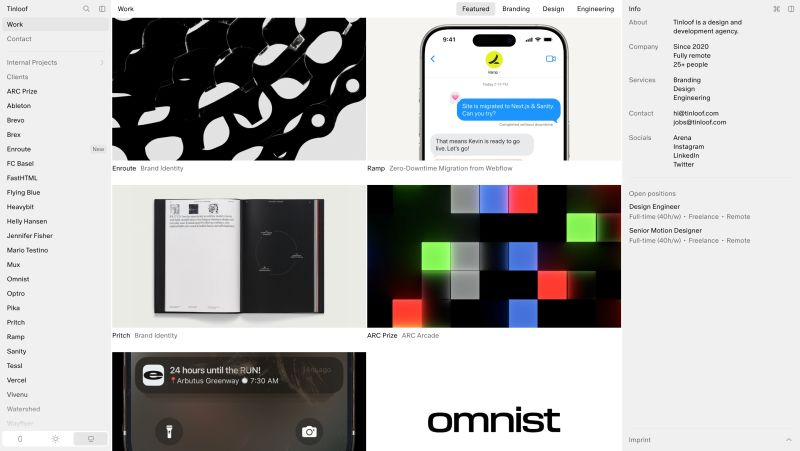
Tinloof is a design and web development studio founded in 2019, specialising in frontend development and CMS migration services. The agency primarily serves SaaS, technology, and eCommerce brands planning a migration to modern headless CMS architecture. As one of Sanity's first official agency partners, their core CMS migration stack centres on Sanity CMS, Shopify, and TypeScript.
Strengths
- Strong fit for eCommerce brands planning a headless Shopify migration combined with a Sanity CMS migration — with demonstrated experience merging content and commerce layers into a unified headless platform without disrupting SEO performance.
- Design-led migration delivery with Core Web Vitals, technical SEO, and structured data treated as core migration deliverables, ensuring search visibility is maintained throughout the migration process.
Cons
- Small team (2–10 employees); capacity constraints are a real consideration for larger enterprise CMS migration projects or time-sensitive migration timelines
- Limited public evidence of large-scale multi-region or multi-language CMS migration projects, which may be a concern for global migration briefs
Pricing
- Headless CMS migration services are priced at approximately $70–$150/hour based on public data.
- Fixed-price CMS migration projects are available for well-scoped briefs. Mid-complexity headless CMS migrations typically range from $20,000–$60,000
4. Riotters (Szczecin, Poland)
Riotters is a Polish design studio and digital product agency positioning itself as a "design accelerator" for startups. Their work spans UX/UI design, product design, branding, motion design, and software development: with Payload CMS, HubSpot, and low/no-code tools listed as their primary development stack. They work across Europe and the Americas with a flat-structure, senior-led team model. Although this is not a primary CMS migration service, their design development skils shouldn't be underrated.
Pros
- A strong design execution, guided by a structured and process-driven approach, is ideal for brands that require visual quality and in-depth user experience, along with content management system implementation.
- Payload CMS development listed as a core service, making them a viable option for projects where the CMS and application layer need to share a codebase.
- Active Dribbble presence with documented portfolio, useful for evaluating design quality before engaging.
Cons
- Design-led projects rather than technical ones
- No public pricing and limited evidence of large-scale CMS migrations in their public case studies
Pricing
- Clutch reviews project budgets ranging from $10,000 to over $1.4 million
5. Bits Orchestra
Bits Orchestra is a software engineering company specializing in complex CMS migrations and platform modernization for mid-market and enterprise organizations. Since 2017, the team has delivered 130+ projects across North America, the UK, and Europe, including work for Shaw Industries, COREtec, and Anderson Tuftex.
The company works with Kentico, Umbraco, Strapi, Sanity, Contentful, and custom .NET platforms. Services cover content and data migration, frontend redevelopment, URL and metadata preservation, third-party integrations, automated testing, phased cutover, and post-launch stabilization.
Bits Orchestra is best suited to multi-site platforms, large content estates, custom functionality, and integrations with ERP, CRM, PIM, DAM, search, or commerce systems. The team can also prepare CMS architecture, content, and data flows for future AI search, workflows, and integrations.
Pros
- Strong fit for complex and multi-site CMS migrations
- Experience across traditional, headless, and composable CMS platforms
- Covers SEO-critical migration elements, integrations, testing, and launch risk
- Supports phased migration without forcing a complete rebuild
Cons
- Not aimed at small brochure websites or simple CMS transfers
- Complex projects usually require a paid assessment before final scoping
Pricing
CMS assessments start at $1,500, defined-scope migrations at $15,000, and complex or multi-site migrations at $25,000.
6. SUNZINET digital agency (Cologne, Germany)
Sunzinet is a development company from Germany. Their team is a strong fit for large-scale projects where you need a single agency to handle strategy, architecture, CMS integration, and marketing end-to-end.
Pros
Team across 3 countries, serving major clients like Bosch, Siemens, Canon, Bayer, and Swarovski Optik
Full-service under one roof: strategy, CRM, CMS migration, marketing, and automation
Cons
Not suited for smaller teams or simpler projects
No transparent pricing; requires a consultation to get a quote
Pricing
Hourly rates are approximately $70-$150/hr according to TechBehemoths, which puts them in the mid-to-premium range. They're geared toward enterprise budgets; smaller projects are likely not a good fit.
7. Five Jars (USA)
Five Jars is a Virginia-based full-service web design and development agency that has been delivering digital solutions since 2016, specialising in CMS-based platform builds, migrations, and long-term technical support for nonprofits, arts and culture institutions, healthcare, and enterprise clients. As a certified Drupal partner with expertise across Drupal, WordPress, and headless CMS platforms, they combine strategy, UX/UI design, and engineering part to build accessible, scalable digital websites.
Pros
- Strong track record with mission-driven and nonprofit organisations, including large YMCAs, NGOs, and cultural institutions across the US.
- Full-cycle service from strategy and design to development, integrations, and post-launch support, no need to juggle multiple vendors.
Cons
- Less focused on pure headless or composable CMS setups; better suited to teams who need a trusted generalist partner than those pursuing cutting-edge Jamstack architectures.
Pricing
- CMS build or migration for mid-size sites: ~$25,000–$150,000+ USD depending on scope, integrations, and content volume.
8. SigmaSoftware
Sigma Software is a global IT consulting and custom software development company that also offers cloud migration and legacy modernization services. Its public materials emphasize end-to-end delivery, architectural guidance, and migration support for cloud and data platforms, including AWS-based modernization work.
Pros
Broad service scope across custom software, IT consulting, cloud migration, and legacy modernization.
Established company with a global presence and long operating history since 2002.
Publicly documented migration expertise, including AWS-focused data and cloud modernization offerings
Cons
Public information is mostly marketing-oriented, so detailed independent verification of project outcomes can be limited.
Pricing is not publicly listed on the company’s own site, so prospects likely need a discovery call for a quote.sigma+2
The available public material highlights broader cloud and software services more than niche CMS or headless-commerce specialization.
Pricing
Sigma Software does not publish fixed pricing on its public website. Third-party listings suggest hourly rates around $100–$150 and minimum project sizes of about $50,001–$100,000.
9. Refact (USA, remote team)
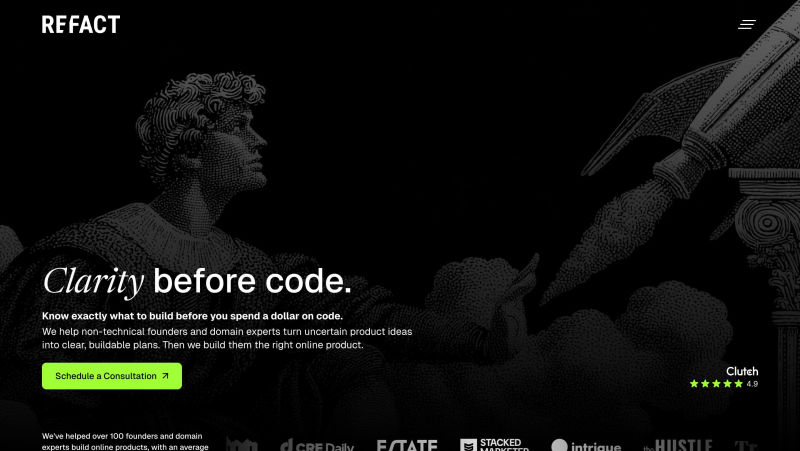
Refact is a Los Angeles-headquartered technology agency founded in 2019 and positioned as a "clarity before code" partner that turns non-technical founders' and domain experts' product ideas into buildable plans before development starts. The team provide clients with WordPress websites, Shopify, headless CMS builts (built on Sanity and Strapi), ecommerce, client portals, CMS/CRM/ESP/data migrations, AI development, and website automation. Their client base skews toward media and subscription brands (The Hustle, Workweek, Stacked Marketer, Trends, CRE Daily) plus institutional projects like Keck School of Medicine of USC.
Pros
- Full "idea to product" model: strategy, design, and engineering under one roof, with an average client relationship of over two years and a money-back guarantee on the discovery phase.
- Solid, verified track record on Clutch (19 reviews) with clients praising communication, timeliness, and value for cost, especially for media/publishing platforms and complex migrations.
Cons
- Headless CMS work is built on Sanity and Strapi — Storyblok doesn't appear anywhere in their listed technologies, case studies, or partner credentials, so they're not a fit for a Storyblok-specific list.
- Small, generalist team oriented around founder-led and media projects rather than large-scale enterprise CMS implementations.
Pricing
- Clutch-reported project costs run roughly $20,000–$50,000 depending on scope.
10. Cocoon Agency (UK-based, remote team)
Cocoon agency is a company around headless, composable architecture, and MACH. Their pitch is digital transformation for organizations moving off legacy platforms. Engineering and UX under one roof.
The overlap is real. Where they differ: Cocoon speaks in architecture abstractions — "composable ecosystems," "omnichannel delivery," "API-first decoupling." The language signals ambition but not specificity.
11. Blazity (Warsaw, Poland)
Blazity is a boutique agency with a Next.js focus and headless CMS migration listed among their services. Their most referenced case study involves migrating 15 WordPress sites to Contentful; a technically solid project, though one that reflects their platform preferences more than broad migration versatility.
Their stack is intentionally narrow: JavaScript, Contentful, and Hygraph. That focus works well when those are already the chosen tools. If your migration involves a different CMS, a mixed stack, or platforms like Sanity, Storyblok, or Payload, the fit becomes less clear. Similarly, their boutique size means capacity is a real variable for larger or time-sensitive projects.
A reasonable choice for scoped Contentful work. Less so for teams that need platform flexibility or broader migration coverage.
Pros
SEO preservation during migrations (full URL mapping, redirect handling, and structured data migration included)
Cons
Boutique agency size means capacity may be limited for very large concurrent projects
Mainly work with JavaScript; this agency is not a fit if your project requires a different tech stack such as PHP, Ruby, or a legacy CMS
CMS platform coverage is narrower than generalist agencies — strongest with Contentful and Hygraph
Pricing
Blazity does not publish the pricing policy publicly. Rates are consistent with a senior-level European boutique agency. A discovery call is required to get a tailored estimate.
How to Choose the Right CMS Migration Services
Not every agency that calls itself a CMS migration partner/provider is built for the same problem. Before you shortlist anyone, check these five things:
- Technical stack expertise: do they know the platform you're moving to, or are they learning on your project?
- E-commerce experience: product data, payments, and checkout flows don't survive a careless lift-and-shift
- CMS specialists vs. generic dev shops: specialists know what breaks, what compounds, and what to protect
- SEO-safe methodology: redirects, canonicals, ranking preservation — this should be a defined process, not improvised per project
- Post-launch support: what happens at week three when something misfires? The answer tells you more than the proposal does
Headless CMS Agencies Quickpick
This list is very general, as there is no single winner or 'best' CMS service/agency across all scenarious. Everything depends on your site architecture, team structure, and risks around SEO. With that in mind, choose:
Agency | Best For | Timezone | Tech Stack / CMS Focus | SEO Migration Strength | Project Size Fit | Pricing Range | Not a Fit If |
|---|---|---|---|---|---|---|---|
FocusReactive | SEO-safe, high-performance CMS migrations | GMT / CET (London + Warsaw) | Next.js, Sanity, Storyblok, Payload, Contentful | ⭐⭐⭐⭐⭐ Strong (redirects, CWV, architecture) | Mid-market → Enterprise | $40k–$130k+ | You need a cheap or quick lift-and-shift |
Tribe Digital | SaaS & product-led companies | GMT (London) | Modern headless, UX-focused builds | ⭐⭐⭐⭐ Strong | Mid-market | $20k–$80k+ | You only need backend migration (no UX work) |
Tinloof | Headless commerce (Shopify + CMS) | CET (Berlin) | Sanity, Next.js, Shopify | ⭐⭐⭐⭐ Strong (esp. eCommerce SEO) | Small → Mid | $20k–$60k | You need multi-CMS flexibility or enterprise scale |
Riotters | Design-heavy projects | CET (Szczecin, Poland) | Payload CMS, HubSpot, low-code | ⭐⭐⭐ Moderate | Small → Mid | Varies widely | SEO or migration complexity is your main concern |
Blazity | Contentful-based migrations | CET (Warsaw) | Contentful, Hygraph | ⭐⭐⭐⭐ Strong (structured migrations) | Mid-market | Not public | You want CMS-agnostic expertise |
FiveJars | Full-cycle CMS builds & migrations | EST (Arlington, VA / New York) | Drupal, Wordpress | ⭐⭐⭐⭐ Strong (content-heavy SEO) | Nonprofits, Mid-market & Enterprise | $25k–$150k+ | You need an agency for accessible, mission-driven web platforms |
SUNZINET | Enterprise digital transformation | CET (Cologne) | Full-stack (CMS + CRM + marketing) | ⭐⭐⭐⭐ Strong (enterprise SEO processes) | Enterprise | $70–$150/hr | You’re a startup or need lean execution |
SigmaSoftware | Enterprise organizations needing complex digital transformations, custom software, and large-scale website/platform migrations | Eastern European (primarily UTC+2 / UTC+3) | Custom development, .NET, Java, JavaScript, React, Angular, Azure, AWS, Headless CMS, Sitecore, Optimizely, Contentful, Adobe Experience Manager | ⭐⭐⭐⭐ Strong – Experienced with enterprise CMS migrations, technical SEO preservation, URL mapping, redirects, structured data, and large-scale platform modernization | Mid-market to Enterprise | no data | You need a low-cost agency, a small brochure website, or SEO-first strategy without significant engineering or platform development. |
Refact | Media, publishing, and different websites migrating to a modern CMS | Pacific Time | WordPress, Shopify, headless CMS (Sanity, Strapi), plus React/Next.js front-ends; no Storyblok in their listed stack | ⭐⭐⭐ Moderate | Small-to-mid | no data | You need Storyblok expertise, or a large-scale enterprise migration (dozens of sites, high-volume content, big internal teams to coordinate with) |
BitsOrchestra | CMS migrations and platform modernization | Ukraine | Kentico, Umbraco, Contentful, Strapi, Sanity, Shopify | ⭐⭐⭐ Moderate | Mid-market | $15k–$100k | You need complex website migrations |
Cocoon Agency | MACH / composable architecture | GMT (UK, Remote) | API-first, composable stacks | ⭐⭐⭐ Moderate | Enterprise | Not public | You want concrete, execution-focused delivery |
Ready to Start Your CMS-to-CMS Migration?
The most important voice in any website migration isn't your dev team's. It's the marketing operations team, the people who'll live in this system daily. Pick a platform and a partner that works for them first. The right fit depends on your workflow, not ours.
If you're planning a migration or specifically looking for a headless CMS agency, talk to CMS migration services team. Here you can also book an SEO-safe migration audit. We'll map out exactly what needs protecting before anything moves.
CMS Migration Service FAQs
What happens when you migrate a website?
- When you run a website migration, you move key elements like domain, CMS platform, URL structure, design, and content from one setup to another. If it’s not planned properly, this can temporarily affect organic traffic, rankings, and tracking while search engines discover and re‑evaluate your new pages.
Is SEO migration necessary?
- Yes, SEO‑led website migration services are essential if you want to keep your existing visibility, rankings, and revenue. Without structured SEO migration work (redirect mapping, content parity, technical checks), you risk broken URLs, lost authority, indexation issues, and significant drops in traffic.
Can I migrate from WordPress to a headless CMS without traffic loss?
- You can migrate a WordPress website to a headless CMS with minimal or no lasting traffic loss if you treat it as a full SEO website migration project. That means preserving high‑value URLs where possible, implementing page‑level 301 redirects, maintaining or improving content, and launching on a fast, SEO‑friendly front end.
Do I need e-commerce CMS migration services for Shopify/BigCommerce?
- If you are moving an e-commerce shopfront on Shopify or BigCommerce to a headless architecture, we recommend e-commerce CMS migration services. They help you migrate product data, content, URLs, and SEO signals correctly so you can benefit from faster headless experiences without sacrificing organic traffic or conversion rates.
What headless CMS is the best for a marketing team with limited dev support?
- Storyblok is the best CMS here, for pure editorial independence out of the box. Its visual page builder lets non-technical teams build and publish pages without a developer in the loop.
























Comments